
Doctor appointment reminder app. Every visit, with the right reports attached.
Add a doctor visit, a video consultation or a lab test and MyCareTrack reminds you before it. Attach the reports and prescriptions you want to bring, and the visit joins your health timeline once it is done.
Available on Google Play. The iPhone app is coming soon.
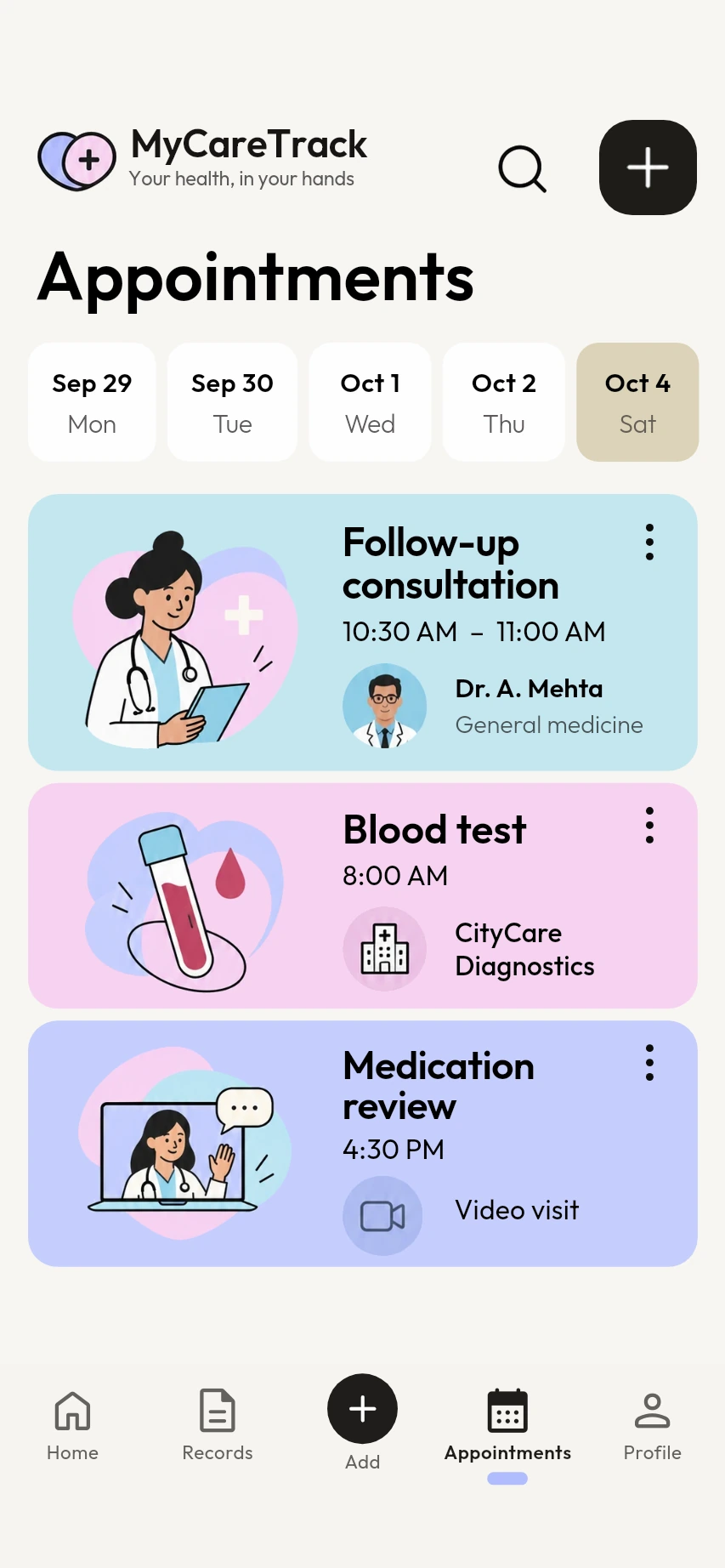
How the doctor appointment reminder app works
Add the appointment
Open Appointments and add one: a title, who it is for, the clinic or hospital, the kind of visit (in person, video or lab test) and the time.
Choose the reminder
Pick when to be reminded: at the time, 15 minutes before, an hour before or a day before.
Attach what to bring
Attach reports, prescriptions and other records, so the right papers are one tap away at the visit.
Why use MyCareTrack as a doctor appointment reminder app
A strip of days
The Appointments tab shows a strip of days and the visits on each one.
In person, video or lab test
Choose the kind of visit, so you can tell a video call from a trip to the clinic.
Reminders on your phone
Reminders are notifications on your phone, with their own switch under Profile, then Notifications.
Records attached
Attach the lab reports and prescriptions your doctor will ask about, and open them from the appointment.
For each family member
Choose who each appointment is for, so a parent's visit does not end up on your own list.
Your own time zone
Times are shown in your phone's time zone, and finished appointments appear on your timeline as visits.
Frequently asked questions
How do I add a doctor appointment?
Open Appointments in MyCareTrack and add one with a title, who it is for, the clinic or hospital, the kind of visit and the time.
When does the appointment reminder arrive?
You choose: at the time, 15 minutes before, an hour before or a day before. If you choose a day before, you also get a reminder an hour before.
Can I attach reports to an appointment?
Yes. Attach lab reports, prescriptions and other records, and open them from the appointment when you are at the visit.
Can I add appointments for my parents or children?
Yes. Choose which family member each appointment is for, and each person's visits are kept apart.
Why did I not get a reminder?
Check that notifications are allowed for MyCareTrack in your phone's settings and switched on under Profile, then Notifications. The Check reminders screen shows what may be stopping reminders on your phone.
More from MyCareTrack
- Health records appLab reports, prescriptions, bills and visits for the whole family, on one timeline.
- Lab report scannerScan a blood test or any lab report and read each result in plain language.
- Medicine reminder appMedicine reminders from your prescriptions, with Taken and Snooze, plus retest reminders.
Get MyCareTrack on your phone.
MyCareTrack is available on Google Play, and the iPhone app is coming soon. Questions? The Help Center has answers, or email hello@lasyaaitech.com.