
Prescription scanner. Medicines, doses and durations picked out for you.
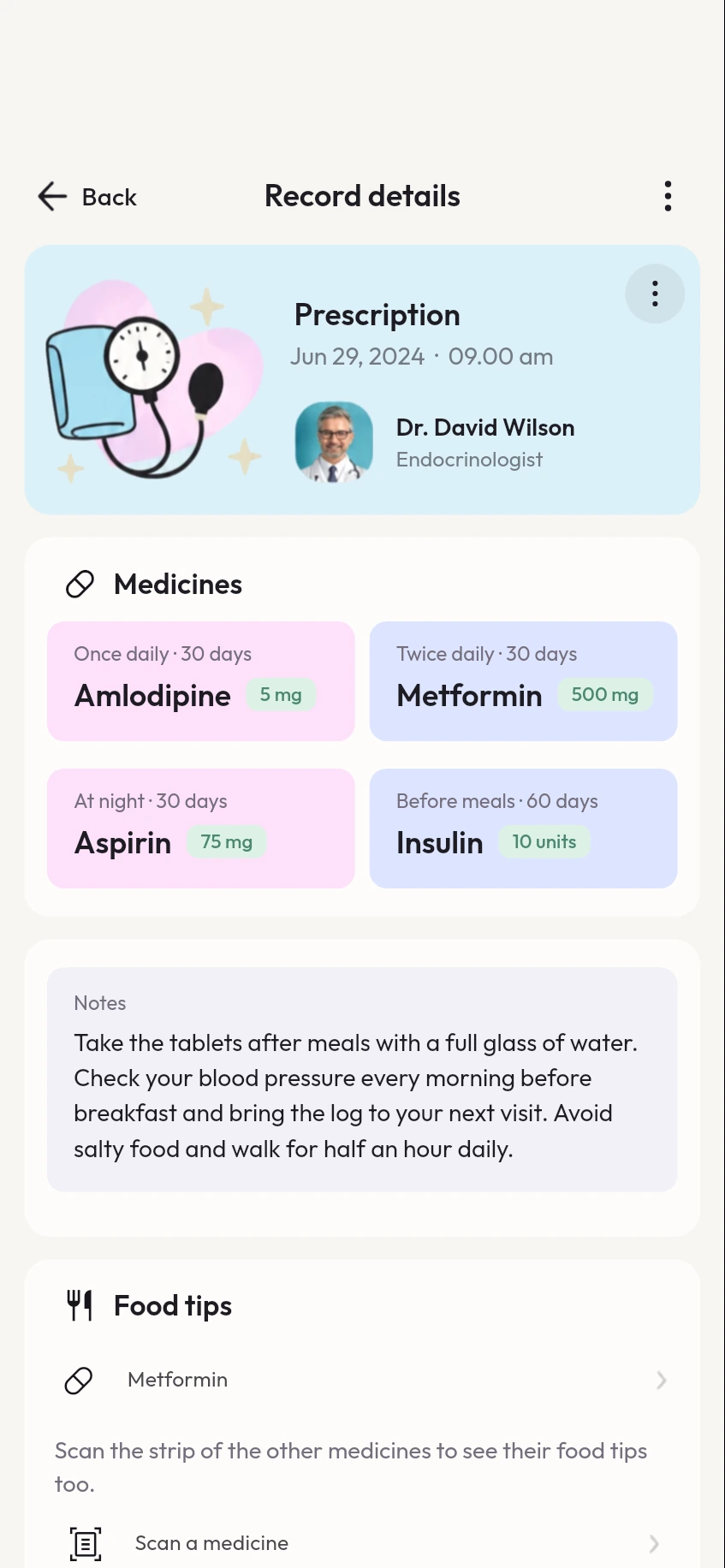
Scan a doctor's prescription and MyCareTrack picks out each medicine with its dose and how long to take it. Scan a strip, box or bottle label with the medicine scanner to see what a medicine is and read general information about it.
Available on Google Play. The iPhone app is coming soon.
How the prescription scanner works
Scan the prescription
Choose the Prescription Scanner, place the whole prescription inside the frame and capture each page, or upload a photo or PDF.
Check the medicines
MyCareTrack lists the medicines, doses and durations it found. Check them against your paper copy and correct anything that does not match.
Set a reminder
Pick a medicine from your prescriptions and its dose times are filled in from the prescription.
Why use MyCareTrack as a prescription scanner
Medicines, doses and durations
Each medicine is listed with its strength, how often to take it and for how many days.
A medicine scanner too
Scan a strip, box or bottle label to see what the medicine is and general information about it.
Reminders from the prescription
Turn a prescription into medicine reminders in a few taps, for you or for a family member.
Kept with the visit
The prescription stays on your timeline with the reports and visits around it, so you can find it when the pharmacy or your doctor asks.
Frequently asked questions
How do I scan a prescription?
Open the scanner, choose Prescription and place the whole prescription inside the frame. Capture each page with the camera, or choose a photo or upload a PDF.
Can MyCareTrack read a handwritten prescription?
It tries, but handwriting can be hard to read, even for people. Always check the medicines, doses and durations it picked out against your paper prescription, and ask your pharmacist if anything is unclear.
Can I scan a medicine strip or bottle?
Yes. Choose Medicine and scan the label of a strip, box or bottle to see what the medicine is and general information about it.
Can I set a medicine reminder from a prescription?
Yes. Open Profile, then Reminders, and choose a medicine from your prescriptions. The dose times are filled in from the prescription. You can also add a medicine by name.
Does MyCareTrack tell me which medicine to take?
No. It lists what your prescription says and gives general information. Follow the instructions of your doctor and pharmacist.
More from MyCareTrack
- Medicine reminder appMedicine reminders from your prescriptions, with Taken and Snooze, plus retest reminders.
- Lab report scannerScan a blood test or any lab report and read each result in plain language.
- Health records appLab reports, prescriptions, bills and visits for the whole family, on one timeline.
Get MyCareTrack on your phone.
MyCareTrack is available on Google Play, and the iPhone app is coming soon. Questions? The Help Center has answers, or email hello@lasyaaitech.com.