
Lab results tracker. Every test, report after report, on one chart.
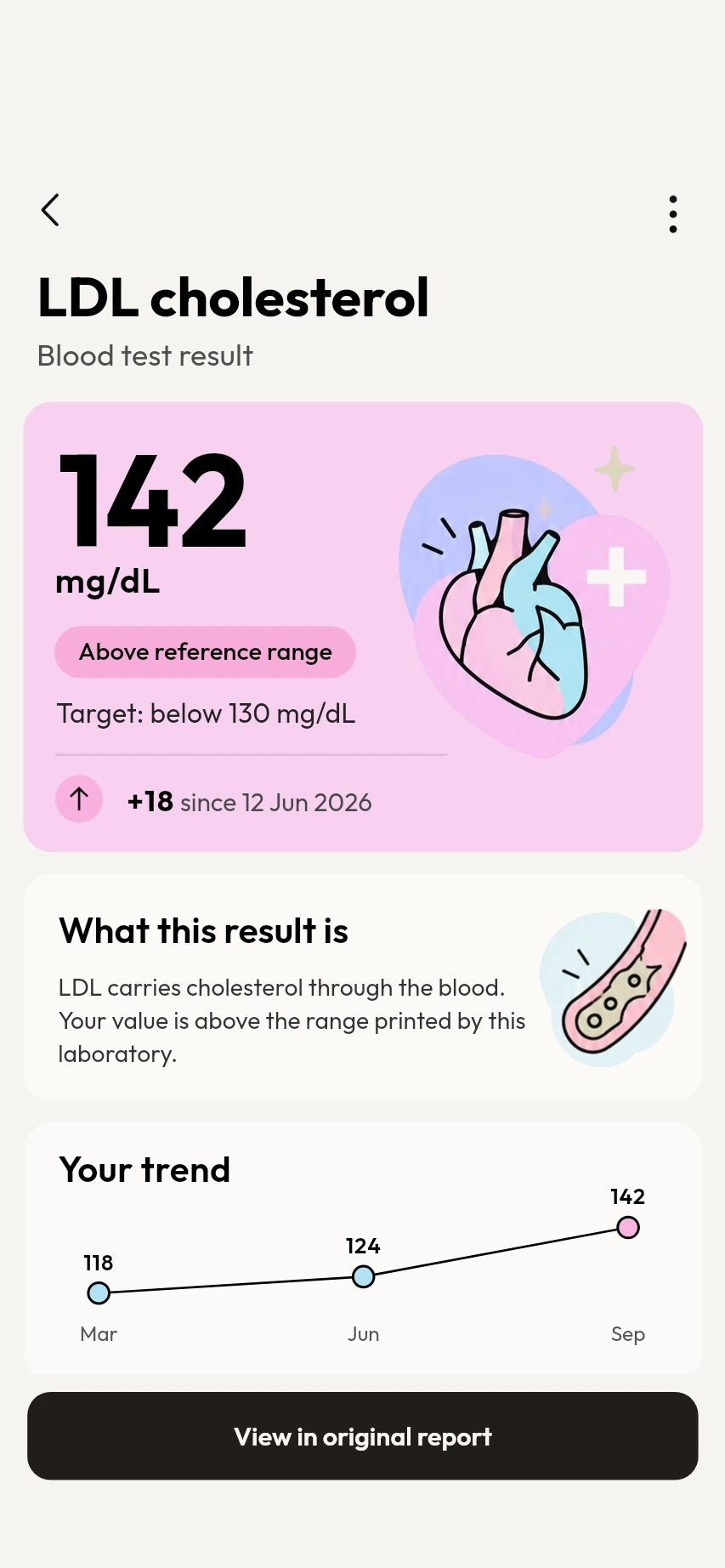
Each time you scan a lab report, its results join the chart for that test. Follow LDL cholesterol, HbA1c, vitamin D or any other test from report to report, drawn against the reference range printed on your reports.
Available on Google Play. The iPhone app is coming soon.
How the lab results tracker works
Scan your lab reports
Scan each report as you get it. MyCareTrack reads every test with its value, its unit and the range printed on the report.
Open Test trends
Go to Records, then Test trends. Every test is listed with its latest value and a small chart.
Tap a test
See all of its readings on one chart with the reference range behind it. Tap a reading to see its value and date and to open that report.
Why use MyCareTrack as a lab results tracker
One chart per test
Results are grouped by test across all of a person's reports, so a change shows up as a line instead of a pile of papers.
Against the printed range
The range behind the chart comes from your reports, and a note on the chart reminds you that labs use different ranges, so a test can move between reports.
Compare two reports
Put two lab reports side by side and see the change in each test. The app works out every change, and a short takeaway puts those figures into words.
Retest reminders
Ask to be reminded to recheck a result that was out of range, so the next reading lands on the chart.
One person at a time
Each family member has their own trends, so one person's results never mix with another's.
Notes in everyday words
Short notes explain common tests such as cholesterol, HbA1c, hemoglobin and vitamin D.
Frequently asked questions
How do I track my blood test results over time?
Scan each lab report with MyCareTrack. Open Records, then Test trends, and choose a test to see every reading on one chart.
Does the lab results tracker follow HbA1c and cholesterol?
Yes. Any test that appears with a number in your scanned lab reports can be followed, including HbA1c, LDL and HDL cholesterol, triglycerides and vitamin D.
Why can a result move when I change labs?
Labs can use different methods and reference ranges. A note on the chart reminds you of this, and your doctor can tell you what a change means.
Can I compare two lab reports?
Yes. Open a lab report and choose Compare with previous report to see the change in each test side by side.
Does the tracker give medical advice?
No. It shows your results and how they changed. It does not diagnose or treat any condition, so talk to your doctor about what a change means.
More from MyCareTrack
- Lab report scannerScan a blood test or any lab report and read each result in plain language.
- Health records appLab reports, prescriptions, bills and visits for the whole family, on one timeline.
- Medicine reminder appMedicine reminders from your prescriptions, with Taken and Snooze, plus retest reminders.
Get MyCareTrack on your phone.
MyCareTrack is available on Google Play, and the iPhone app is coming soon. Questions? The Help Center has answers, or email hello@lasyaaitech.com.