
Health report scanner. Every medical report in one place.
Scan a health report with your camera, a gallery photo or a PDF. MyCareTrack reads it, explains it in plain language and files it in your health timeline, so reports stop living in drawers, chats and email.
Available on Google Play. The iPhone app is coming soon.
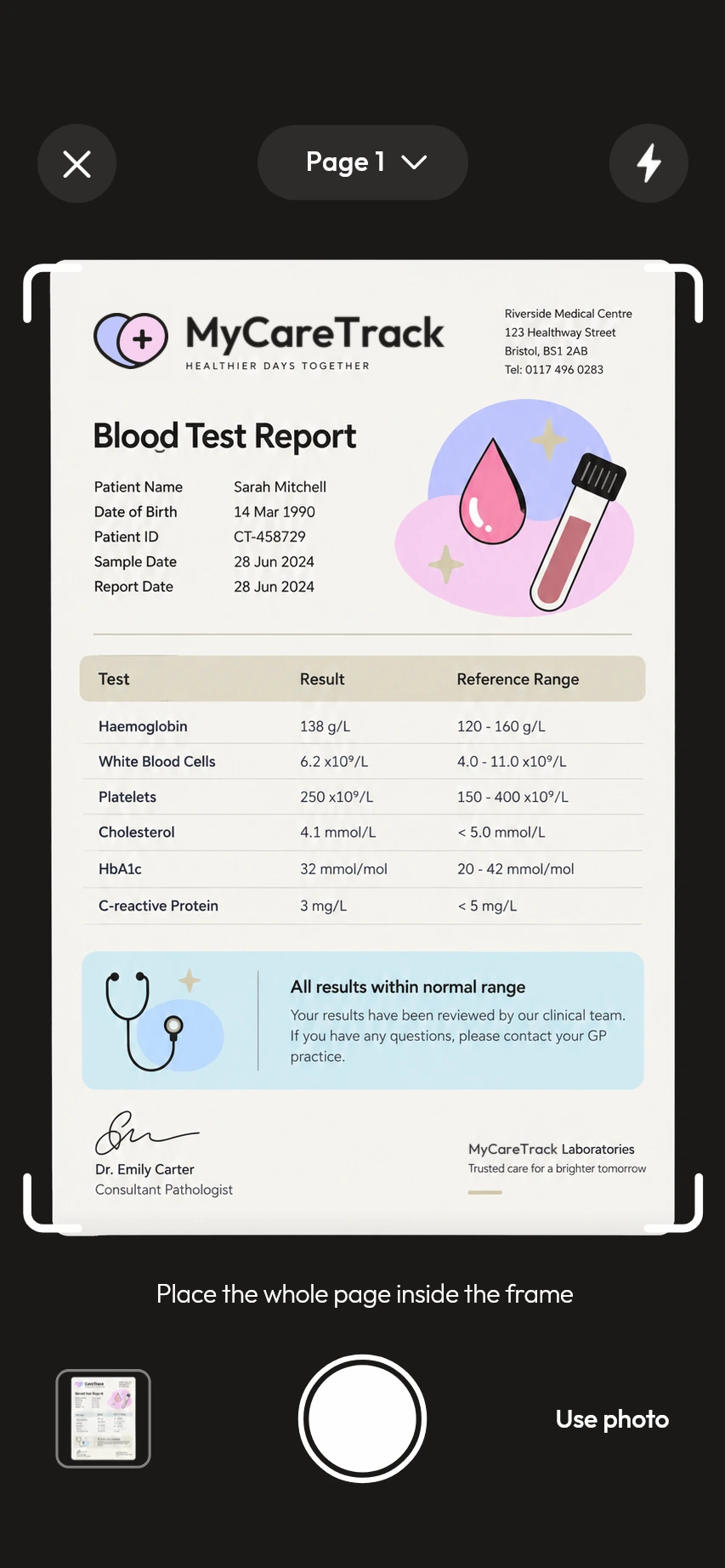
How the health report scanner works
Choose what you are scanning
Pick Report, Prescription, Medicine or Bill in the scanner, then place the whole page inside the frame.
Capture or import
Scan page by page with the camera, import photos (JPG, PNG or HEIC) or upload a PDF.
Read the summary
MyCareTrack explains what the document says and files it by type and date, ready to search.
Why use MyCareTrack as a health report scanner
Reports, prescriptions, medicines and bills
One scanner covers the documents your lab, clinic and pharmacy give you.
Summaries you can read
Short explanations in everyday words, in English, Hindi or Telugu.
Filed for you
Every scan is added to your timeline by type and date, with search and filters.
Older paper records too
Scan old paper reports to take your health timeline back in time.
Ready for your doctor
Create a health summary PDF for any date range, with report summaries, trend charts and the original documents. Protect it with a password or share it as a link.
Frequently asked questions
What is a health report scanner?
A health report scanner turns a photo or PDF of a medical report into something you can read and keep. MyCareTrack reads the document with AI, explains it in plain language and saves it with your other health records.
What can I scan with MyCareTrack?
Lab reports and test results, doctors' prescriptions, medicine strips, boxes and bottle labels, and medical bills.
Does it work with reports from any hospital or lab?
MyCareTrack reads photos and PDFs, so you are not tied to one lab or hospital. Clear, well-lit and complete pages give better results than cropped or blurred ones.
Does MyCareTrack replace my doctor?
No. It gives you information to understand your documents. It does not diagnose or treat any condition and cannot replace a qualified clinician.
Can I use MyCareTrack in Hindi or Telugu?
Yes. The app and its explanations are available in English, Hindi and Telugu. Choose one on the first screen or in Profile, Language.
More from MyCareTrack
Get MyCareTrack on your phone.
MyCareTrack is available on Google Play, and the iPhone app is coming soon. Questions? The Help Center has answers, or email hello@lasyaaitech.com.