
Medical bill tracker. Scan a bill and watch your spending add up.
Scan hospital, pharmacy and lab bills and MyCareTrack keeps them with your health records. Your spending on care adds up by month, category and person, so you can see where the money went.
Available on Google Play. The iPhone app is coming soon.
How the medical bill tracker works
Scan the bill
Choose the Bill Scanner and place the whole bill inside the frame, or choose a photo or PDF.
Check the details
MyCareTrack reads the amount and the billed items. Correct anything that does not match, and mark the bill paid, partly paid or unpaid.
See the total
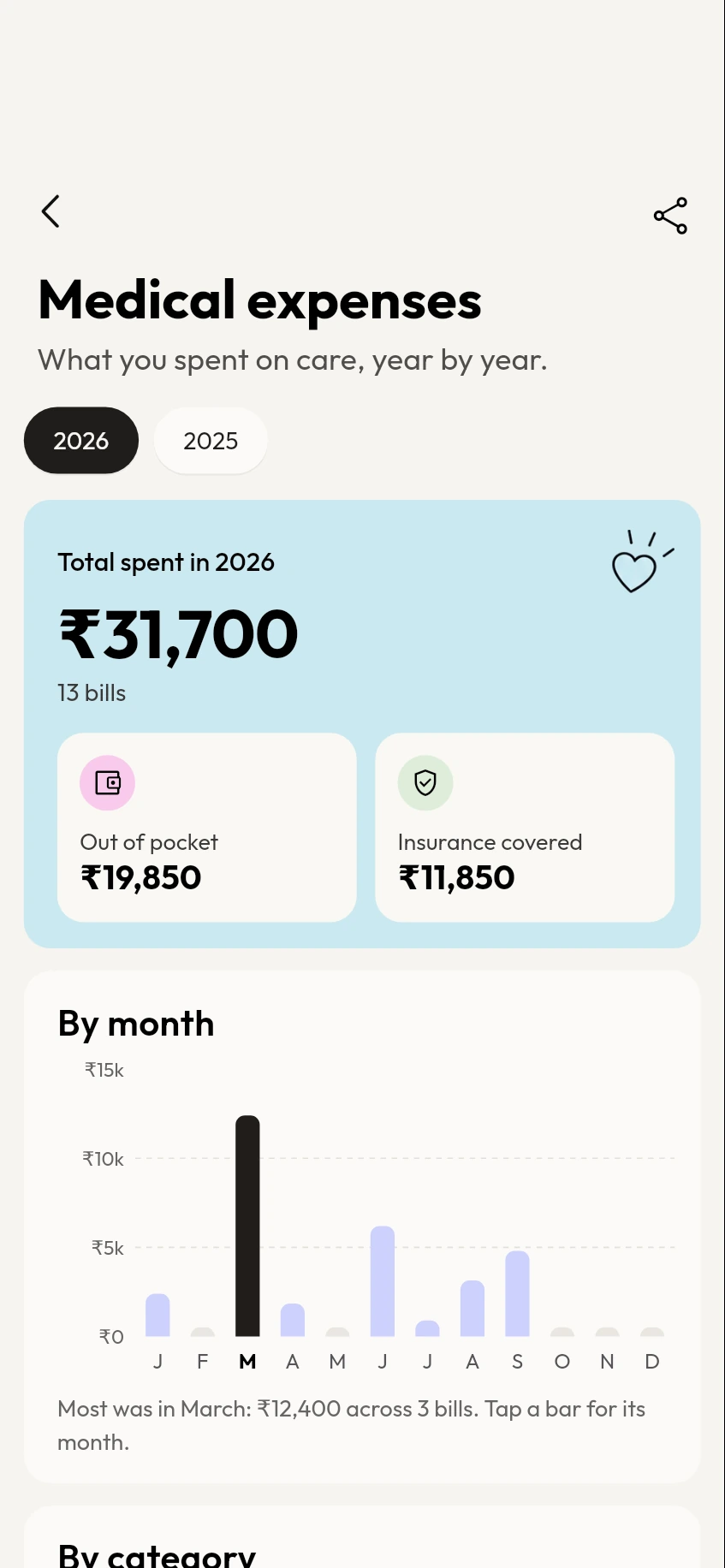
Open Medical expenses to see the year's total by month, by category and by person.
Why use MyCareTrack as a medical bill tracker
Totals for the year
See what you spent on care in a year, how much was out of pocket and how much insurance covered.
By month, category and person
Spot the busiest month and see which family member or category the money went to.
Export to CSV
Export a year of bills as a CSV file for your own records.
Monthly summary
If you want it, get a notification on the 1st with what last month's medical bills came to.
Bills on your timeline
Bills sit on your health timeline in date order, with a Bills filter to find them.
Frequently asked questions
How do I track medical bills in MyCareTrack?
Scan each hospital, pharmacy or lab bill with the Bill Scanner. MyCareTrack reads the amount and the items, saves the bill on your timeline and adds it to your Medical expenses totals.
Can I see my spending by month and by family member?
Yes. Medical expenses shows the year's total, spending by month and by category, and by person when you keep records for family members.
Can I export my medical expenses?
Yes. Export a year of bills as a CSV file from the Medical expenses screen.
Does it work with pharmacy receipts?
Yes. Scan a pharmacy receipt as a bill and it counts toward your spending on care.
What if my bills are in different currencies?
Totals are shown in your main currency. Bills in other currencies are listed separately and are not counted in the total.
More from MyCareTrack
- Health records appLab reports, prescriptions, bills and visits for the whole family, on one timeline.
- Medicine reminder appMedicine reminders from your prescriptions, with Taken and Snooze, plus retest reminders.
- Health report scannerScan any medical report, prescription or bill and keep it in one place.
Get MyCareTrack on your phone.
MyCareTrack is available on Google Play, and the iPhone app is coming soon. Questions? The Help Center has answers, or email hello@lasyaaitech.com.