
Health summary PDF. Your records, ready for the doctor's desk.
Choose a date range and what to include, and MyCareTrack builds a health summary PDF from your records: report summaries, trend charts and the original documents. Protect the file with a password or share it as a link.
Available on Google Play. The iPhone app is coming soon.
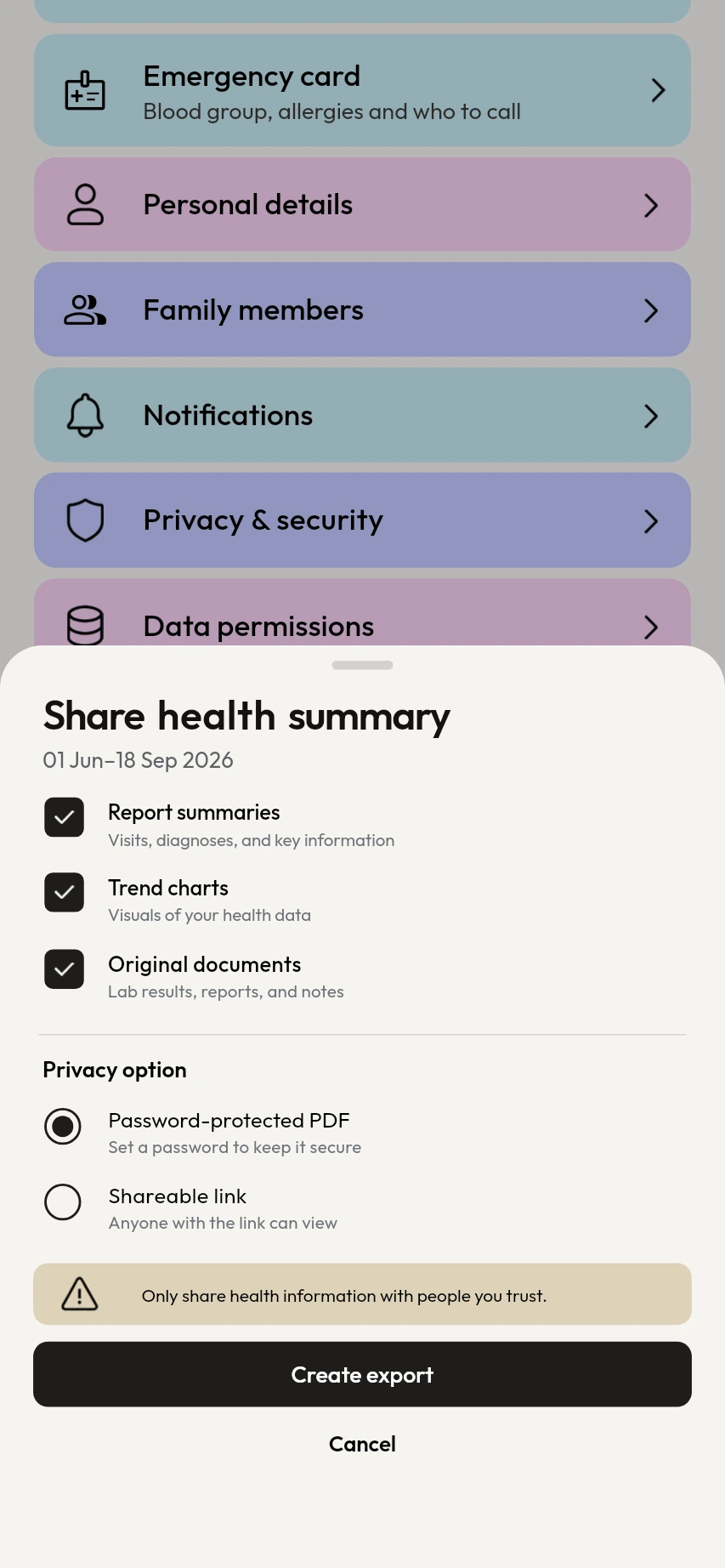
How the health summary pdf works
Open Export my data
Go to Profile, then Export my data, and choose the date range the summary should cover.
Choose what goes in
Tick report summaries, trend charts and the original documents. Leave out anything your doctor does not need.
Protect it and send it
Choose a password for the PDF, or create a link, and send it to your doctor the way you send any file.
Why use MyCareTrack as a health summary pdf
Report summaries
Each lab report in the range is summarized with its results, so it is quick for a doctor to read.
Trend charts
See how a test such as LDL cholesterol or vitamin D moved between reports, drawn against the printed range.
The original documents
Add the original pages of your reports, prescriptions and bills, so the doctor sees the real documents too.
A password or a link
With a password, the PDF cannot be opened without it. With a link, anyone who holds the link can open the file, so share it only with people you trust.
Written in English
The PDF is always in English, because it is a document for doctors, whichever language the app is in.
Links end with the account
Share links stop working if you delete your account.
Frequently asked questions
What is in the health summary PDF?
You choose. It can hold report summaries, trend charts and the original documents for the date range you pick.
Can I protect the PDF with a password?
Yes. Choose Password when you export and the PDF cannot be opened without it. You can choose Link instead, which anyone who holds the link can open.
Is the health summary available in Hindi or Telugu?
No. The PDF is always written in English because it is a document for doctors. The app itself can be in English, Hindi or Telugu.
Can I choose a date range?
Yes. Pick the start and end dates, and only the records in that range go into the summary.
How do I send the summary to my doctor?
Share the PDF file, or the link, from your phone like any other file, by the app your doctor prefers. Tell the doctor the password separately.
More from MyCareTrack
- Health records appLab reports, prescriptions, bills and visits for the whole family, on one timeline.
- Lab results trackerSee each blood test result from report to report on one chart per test.
- Doctor appointment reminder appAdd visits, get a reminder before each one and attach the reports you want to bring.
Get MyCareTrack on your phone.
MyCareTrack is available on Google Play, and the iPhone app is coming soon. Questions? The Help Center has answers, or email hello@lasyaaitech.com.